Eight hours. One theme: Your Second Brain. No pre-built scaffolding allowed.
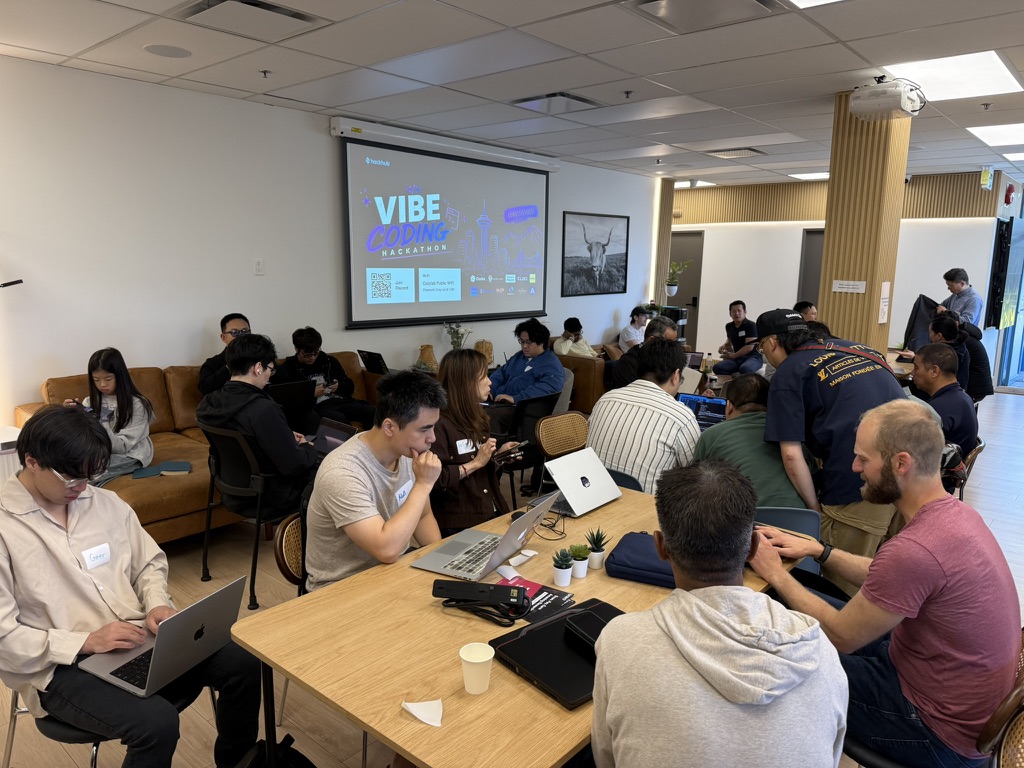
That was HackHub’s Vibe Coding Hackathon at CozyLab Vancouver on May 31. Around 30 people, laptops out, sponsors on the projector, and one of those rooms where everyone’s heads-down within 20 minutes of kickoff.
The idea
My teammates Min and Andrew and I landed on a frustration we all recognized: people new to AI tools — think someone’s parent trying Claude for the first time, or a non-technical colleague navigating an unfamiliar dashboard — can’t figure out where to click. They ask the AI a question and get a paragraph back, but the UI has 50 buttons and they still don’t know which one.
What if the AI could just… point at the thing?
That became CLōD Navigator. A Tampermonkey userscript that injects a sidebar into any webpage. You type a plain-language question — “where do I change my password?” — and the script asks an LLM to identify the relevant DOM element. The element gets spotlighted with a pulsing highlight and an arrow. No more hunting.
The build
We picked Tampermonkey over building a real Chrome extension for one reason: time. A userscript installs in 30 seconds. A Chrome extension needs a manifest, a review, and ideally a developer account. For a hackathon, the tradeoff is obvious.
The API was CLōD (api.clod.io/v1/chat/completions) — one of the event sponsors, offering access to 50+ models under a single endpoint. We tested with Llama 4 Scout, Qwen 2.5 72B, and DeepSeek V3. All three worked for element identification; Qwen was the most consistent at returning valid CSS selectors.
The trickiest part was cross-origin requests. fetch() gets blocked by CORS on most pages. Tampermonkey’s GM_xmlhttpRequest bypasses that, but Safari handles it differently. We ended up writing a wrapper that tries GM_xmlhttpRequest first and falls back to fetch — ugly, but it covered both cases.
The spotlight effect itself — the pulsing outline and pointer arrow — was the part that actually made the demo feel real. Without it, it’s just a chatbot. With it, it’s a tool that shows you something.
Demo videos
We recorded two demos on the day:
The other teams
Four other teams presented:
- Memorial — a Mac pocket secretary that captures context throughout your day and surfaces it when relevant. Most polished demo of the day.
- Tim Chi / Novit — a people knowledge base that builds relationship context from your communications.
- LexMind — AI-generated legal briefings tailored to specific case types. Lawyer-focused, clear use case.
- Cozy Students — an AI tutor that adapts explanations to learning level. Won Best Use of Codex.
We entered the Best Use of CLōD prize track. Didn’t win, but the rubric was solid — they weighted actual API integration and demo quality, not just concept.
What I’d do differently
The GM/fetch CORS workaround ate maybe two hours. If I’d known upfront that GM_xmlhttpRequest needed explicit @connect declarations in the userscript header for each domain, we’d have saved that time.
Also: the DOM selector extraction from the LLM response needs guardrails. If the LLM returns a selector that doesn’t exist on the page, the script currently fails silently. A fallback to fuzzy text matching would make it much more robust.
The repo
Source is on GitHub: Mingz6/hackhub — includes the userscript, project brief, and the full hackathon documentation.
Good event. Would do another HackHub one.